
You are using an out of date browser. It may not display this or other websites correctly.
You should upgrade or use an alternative browser.
You should upgrade or use an alternative browser.
What is the user name of AWS flashphoner server
- Thread starter Jai WC
- Start date
Hello max
It's working now. Thanks a lot . So finally the issue was only about low RAM on server right?
Or is there anything else you did in server changes?
But one thing is that when I am using our wss server URL[wss://54.215.138.93:8843] At https://www.webclueslab.com/qa/juniper/test_youtube/ then it shows connection failed. So what can be the reason for that?
It's working now. Thanks a lot
. So finally the issue was only about low RAM on server right?Or is there anything else you did in server changes?
But one thing is that when I am using our wss server URL[wss://54.215.138.93:8843] At https://www.webclueslab.com/qa/juniper/test_youtube/ then it shows connection failed. So what can be the reason for that?
Last edited:
Hello Please let us know for this reason.Hello max
It's working now. Thanks a lot
Or is there anything else you did in server changes?
But one thing is that when I am using our wss server URL[wss://54.215.138.93:8843] At https://www.webclueslab.com/qa/juniper/test_youtube/ then it shows connection failed. So what can be the reason for that?

Hello
We didn't change other settings.
Just changed heap size in wcs-core.properties and wcs-manager.properties to fit low memory on server.
In production you would need more heap size like:
32g means 32 gigabytes.
Make sure you have enough physical RAM to adjust heap settings.
Generally heap should not be greater than 1/2 overall RAM.
We didn't change other settings.
Just changed heap size in wcs-core.properties and wcs-manager.properties to fit low memory on server.
In production you would need more heap size like:
Code:
-Xmx32g -Xms32g32g means 32 gigabytes.
Make sure you have enough physical RAM to adjust heap settings.
Generally heap should not be greater than 1/2 overall RAM.
Hello,Hello
We didn't change other settings.
Just changed heap size in wcs-core.properties and wcs-manager.properties to fit low memory on server.
In production you would need more heap size like:
Code:-Xmx32g -Xms32g
32g means 32 gigabytes.
Make sure you have enough physical RAM to adjust heap settings.
Generally heap should not be greater than 1/2 overall RAM.
Thanks for this update.
But please know also the reason of being failed WebSocket connection establishment, when I am using our wss server URL[wss://54.215.138.93:8843] At https://www.webclueslab.com/qa/juniper/test_youtube/
Hello
Your port looks incorrect
Should be
And you need to import valid SSL certificate on your server.
If you don't have a cert, try to open page https://54.215.138.93:8443 and allow to use untrusted certificates as described below:
https://flashphoner.com/docs/wcs5/w...ide-2/index.html?quick_start_installation.htm
Your port looks incorrect
Code:
wss://54.215.138.93:8843
Code:
wss://54.215.138.93:8443And you need to import valid SSL certificate on your server.
If you don't have a cert, try to open page https://54.215.138.93:8443 and allow to use untrusted certificates as described below:
https://flashphoner.com/docs/wcs5/w...ide-2/index.html?quick_start_installation.htm
Hello
Your port looks incorrect
Should beCode:wss://54.215.138.93:8843
Code:wss://54.215.138.93:8443
And you need to import valid SSL certificate on your server.
If you don't have a cert, try to open page https://54.215.138.93:8443 and allow to use untrusted certificates as described below:
https://flashphoner.com/docs/wcs5/w...ide-2/index.html?quick_start_installation.htm
Hello,
I wrote 8843 in that comment by mistake, in reality, I am using 8443 and I also tried with downloading your demo and set up in my server "https://www.webclueslab.com/qa/juni...republishing/webrtc-as-rtmp-republishing.html" even though it's not working it shows status publishing but in reality, it doesn't stream to my channel. please help me ASAP it's going very complex.
Hello
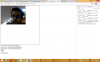
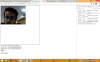
Yesterday it was working fine but after sometimes it has stoped working. So it sometimes works and sometimes not. And i also have attached flashphoner.properties file as txt file.
Yesterday it was working fine but after sometimes it has stoped working. So it sometimes works and sometimes not. And i also have attached flashphoner.properties file as txt file.
Attachments
Hello
It does not work stable because you didn't import SSL certificates.
Please check out my previous post https://forum.flashphoner.com/threa...ws-flashphoner-server.11452/page-2#post-16399
To avoid SSL import you have to open page
https://54.215.138.93:8443
each time before testing and allow certificates upon browser warning message
It does not work stable because you didn't import SSL certificates.
Please check out my previous post https://forum.flashphoner.com/threa...ws-flashphoner-server.11452/page-2#post-16399
To avoid SSL import you have to open page
https://54.215.138.93:8443
each time before testing and allow certificates upon browser warning message
Hello,
From last two days, your service is being fluctuated my server is @ https://54.215.138.93:8888 and activation is also ok but don't know why this thing is happening. So can you please check it for me ASAP. And also I want to purchase the service if it goes fine linearly.
From last two days, your service is being fluctuated my server is @ https://54.215.138.93:8888 and activation is also ok but don't know why this thing is happening. So can you please check it for me ASAP. And also I want to purchase the service if it goes fine linearly.
What do you mean? If you have an issue, please describe it in a new forum thread. We will check.your service is being fluctuated