Getting TLS obsolete warning

Ljames

New Member
Hi,

My Video is loading after 8 to 10 secs after connection being made to flashphoner server. Also I am getting two warnings

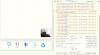
1. Your Partner is negotiating an obsolete (D)TLS version. Support for this will be removed in M81, around april 2020.
2. The audio context was not allowed to start. It must be resumed after a user gesture.

Attached is screenshot for same.

Please help solution to this.

Thanks
 

Attachments

  • flashfoner.PNG
    flashfoner.PNG
    25.4 KB · Views: 377
Please help how do we upgrade server we are hosted on AWS
You can deploy a new instance from latest AWS Marketplace AMI as described here (or with custom settings as described here), then migrate your setting to this new instance.
Another option is update by installing new version over old one as described here.
 
Also need to understand on below points by server version what do you mean?

1. linux version?
2. Flashphoner version?
3. Apache version?
4. Is this upgrade require any changes at client side?? I mean the SDK's which we have consumed in our WebSite and Mobile APPS(IOS & Andriod)?
5. What is the permissible video load time?
6. If Flashphoner version upgrade required then in that case do we need to do anything manually from our side? as we are hosted in AWS environment.
7. If manual upgrade is required do your team help and do this upgrade? and also if required any changes at client side.

Thanks
 
1. linux version?
2. Flashphoner version?
3. Apache version?
You should update Flashphoner WebCallServer to latest build for DTLS 1.2 to use with Chrome browser. All release history is here.
We also recommend to update Amazon Linux to Amazon Linux 2.
4. Is this upgrade require any changes at client side?? I mean the SDK's which we have consumed in our WebSite and Mobile APPS(IOS & Andriod)?
This depends on how old the SDK versions you use. Usually, it is not needed to update SDKs unless you want to use some new features.
5. What is the permissible video load time?
It depends on channel bandwidth and quality: the better is chennel, the faster stream should start to play.
6. If Flashphoner version upgrade required then in that case do we need to do anything manually from our side? as we are hosted in AWS environment.
Yes, you should update and set up new instance manually.
The best and easiest way is to deploy an instance based on WebCallServer AMI. Then you should:
1. Update WCS using the following commands
Code:
sudo systemctl stop webcallserver
cd /usr/local/FlashphonerWebCallServer/bin
sudo ./webcallserver update
2. After updating, migrate you current settings from old instance by copying the following files in /usr/local/FlashphonerWebCallServer/conf folder:
Code:
wss.jks.backup
wss.jks
flashphoner.license
flashphoner.properties
wcs-core.properties
*.sdp, if you have them
database.yml
3. Restart WCS
Code:
sudo systemctl start webcallserver
7. If manual upgrade is required do your team help and do this upgrade? and also if required any changes at client side.
As we wrote above, no changes needed on client side.
If you having trouble to update, please provide the following:
- SSH access to your current instance
- SSH access to a new instance
We will check

 
Hi,

My local video is not getting opened after connection got established. out of 10 times one time its got connect and 9 times its not.

Please see attached screenshots for your reference.

Kindly help resolve the issue.

Thanks
 

Attachments

  • doctor_Chrome.PNG
    doctor_Chrome.PNG
    216.4 KB · Views: 453
  • doctor_firefox.PNG
    doctor_firefox.PNG
    128.3 KB · Views: 420
  • frontdesk_chrome.PNG
    frontdesk_chrome.PNG
    116 KB · Views: 438
Hello!
Please clarify if the problem with receiving local video stream is reproduced in the standard examples "Conference" or "Two Way Streaming"?

If the problem is not reproduced in the standard examples, please change the code of these examples before reproducing the problem and send it to us for analysis.
If the problem is reproducible in standard examples, please provide ssh access to your server. Credentials to ssh can be sent using private form
 
We checked your server.
First, we recommend you to install JDK 12 as described here. Now you are using OpenJDK 1.8.0_275. This build is probably makes JVM to consume CPU at rest, this dramatically affects performance.
Also you have to update WCS from 5.0 to 5.2 as described here. Without updating, it will never work in latest Chrome builds. Mozilla also have plans to drop DTLS 1.0 support as othe browser developers. After updating, WebRTC publishing and playback should work normally.
 
ok. will check.

but please tell me this jdk update required on flashphoner server?

the installed jdk supports which chrome and firefox versions.

Thanks
 
but please tell me this jdk update required on flashphoner server?
JDK (Java Development Kit) is a Java Virtual Machine implementation. WCS is written on Java, so it requires at least Java Runtime Environment (JRE) to be installed on server to run. Usually, we recommend to install JDK because it contains additional debug tools which may be needed if any problems occur.
This is not browser side, this is server side.
There is an issue in JDK 11, which is also occur now in latest JDK 8 builds. This issue makes java process to consume CPU while listening network interfaces. That's why we recommend to install JDK 12 or JDK 14 build were this issue is fixed.
 
Hi,

We have upgraded the flashphoner as suggested by you.

but still video is taking time to load and sometime it is not loading. Also on firefox video is not loaded even once and on console i got several warnings and attached is same for your reference.

Please help resolve this.

Thanks
 

Attachments

  • firefox.PNG
    firefox.PNG
    30.1 KB · Views: 378
Good day.
but still video is taking time to load and sometime it is not loading
This can be channel issue
Also on firefox video is not loaded even once and on console i got several warnings and attached is same for your reference.
Unfortunately, the SSH credentials you provided earlier are not working now. But Websocket endpoint still working, and we cannot reproduce the behaviour as shown on screenshots with the latest WebSDK build 0.5.28.2753.153.
Have you updated your frontend (the code which is used in browser) together with the server?
Please check if the problem is reproducing in Video Chat example which is shipped with WCS.
Please also provide a working SSH credentials to access the server and, if possible, access to frontend to test using this form. You can also provide your JavaScript source code which is used for video chat, please send archive using this form.
 
Top