webrtc-as-rtmp-re-publishing-not-working

Good day.
Please set the following parameters in flashphoner.properties file
Code:
rtmp_transponder_full_url=true
rtmp_transponder_stream_name_prefix=
rtmp_flash_ver_subscriber=LNX 76.219.189.0
rtmp_transponder_send_metadata=true
and restart WCS. If stream republishing to Facebook still don't work after this, please provide the following:
1. SSH access to the server.
2. RTMP URL and stream key to republish test stream to (should work 24/7).
Use this private form to provide the data.
 
We checked the server.
First, you've not set the parameters recommended above:
Code:
rtmp_transponder_full_url=true
rtmp_transponder_stream_name_prefix=
rtmp_flash_ver_subscriber=LNX 76.219.189.0
rtmp_transponder_send_metadata=true
These parameters cover the most of RTMP ingest points (Youtube, FB, Twitch, AWS MediaLive etc)
But seems like FB rejects connection by the URL you've provided:
- connection from WCS:
1654742707287.png

- connection using ffmpeg:
1654742901258.png

Please check the RTMP URL and stream key.
 
Hi @Max

I had added that but when its still not working then removed it.
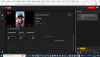
Its still not working even you added it. I have also tested it with YouTube please see below its failed.
Please check it and fix it we must need to fix it today. You can use your Facebook account stream key just to view on Facebook not go live.
webcam.png
 
I had added that but when its still not working then removed it.
The settings are required for RTMP republishing to work. Perhaps that's why Youtube does not work.
We already checked (see above), and Facebook server closes the connection both from WCS and ffmpeg with Invalid URL message.
Please check if ffmpeg or OBS can publish an RTMP stream to Facebook using your credentials.
 
@Max can you please check it with YouTube or other social site.
Its also not working for other social sites
Please provide RTMP URL and stream key to republish to Youtube using this form
Make sure that stream is publishing correctly from ffmpeg or OBS.
 
Hi @Max

I have checked with ffmpeg both Facebook and YouTube working for me with pre-recorded videos see below. I have also provided both stream keys and urls in the form
fb_live2.png
fb_live.png
 

Attachments

  • yt_live2.png
    yt_live2.png
    173.8 KB · Views: 534
  • yt_live.png
    yt_live.png
    317.3 KB · Views: 547
1654778112141.png


This is how it works:

1. Publish stream, i.e. 95ea

2. Set JSON body
Code:
{
"streamName": "95ea",
"rtmpUrl": "rtmp://a.rtmp.youtube.com/live2/2j0t-w4q7-6a52-achy-6tkx"
}

3. Send request to
Code:
http://IP:8081/rest-api/push/startup

4. Receive response 200 OK
Code:
{"mediaSessionId":"vncf7erhj5e7tkqv0qi77sq1fl","streamName":"2j0t-w4q7-6a52-achy-6tkx","rtmpUrl":"rtmp://a.rtmp.youtube.com/live2","rtmpFlashVersion":"LNX 76.219.189.0","rtmpTransponderStreamNamePrefix":"","width":0,"height":0,"fps":0,"bitrate":0,"keyFrameInterval":0,"rtmpTransponderKframeInterval":60,"muted":false,"soundEnabled":false,"rtmpTransponderForceKframeInterval":true,"rtmpTransponderFullUrl":true}
 
Option 2.

1654778476311.png


rtmp_transponder_full_url=true

The setting will force you specify FULL RTMP URL including stream key

Therefore you set the full URL and it is woking as you can see on the screenshot:

rtmp://a.rtmp.youtube.com/live2/2j0t-w4q7-6a52-achy-6tkx
 
Last edited:
Top